The App
SeatSpy is an iPhone and Android app for keeping reads on the players in a live poker game. When I sit down, I start a session, seat everyone around a nine-seat table and tag each player with a type, like Calling Station or Solid Reg. Each type comes with how to play against it, and players are saved, so a regular I tagged in an earlier session is ready the next time they sit down. It’s live at seatspy.app, and the project page is at github.com/nickg819/seatspy.
What’s In It
- The type book comes from my experience, notes and other materials: six types for who a player is, six for how they play, and what to do against each.
- An 11-question quiz suggests a type, and when it can’t pick one, it names the answers that disagree.
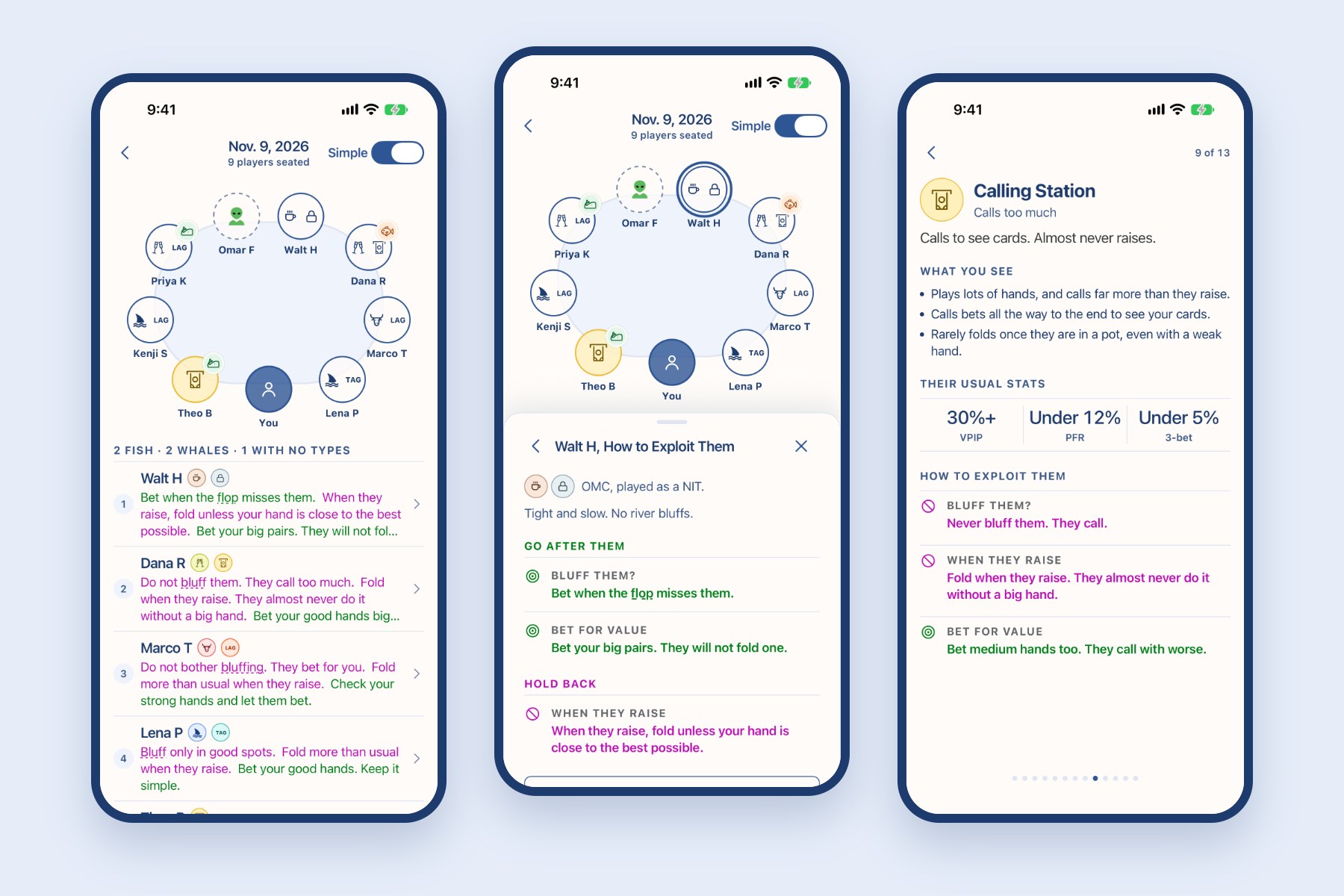
- The list under the table gives each player a line or two, colored by what each line says to do.
- Log What They Did records a play or a tell after a hand and shows which type it points to.
- Learn holds the Glossary, a card for every type and two quizzes, one on poker terms and one where you name the type from a hand or a tell.
- Equity Calculators work out showdown equity for Hold’em and Pot-Limit Omaha, double-board bomb pots included, with ranges painted on a 13 by 13 grid and six short pages on what equity is.
- An ICM Calculator works out a deal at the end of a tournament, by ICM or by chip EV.
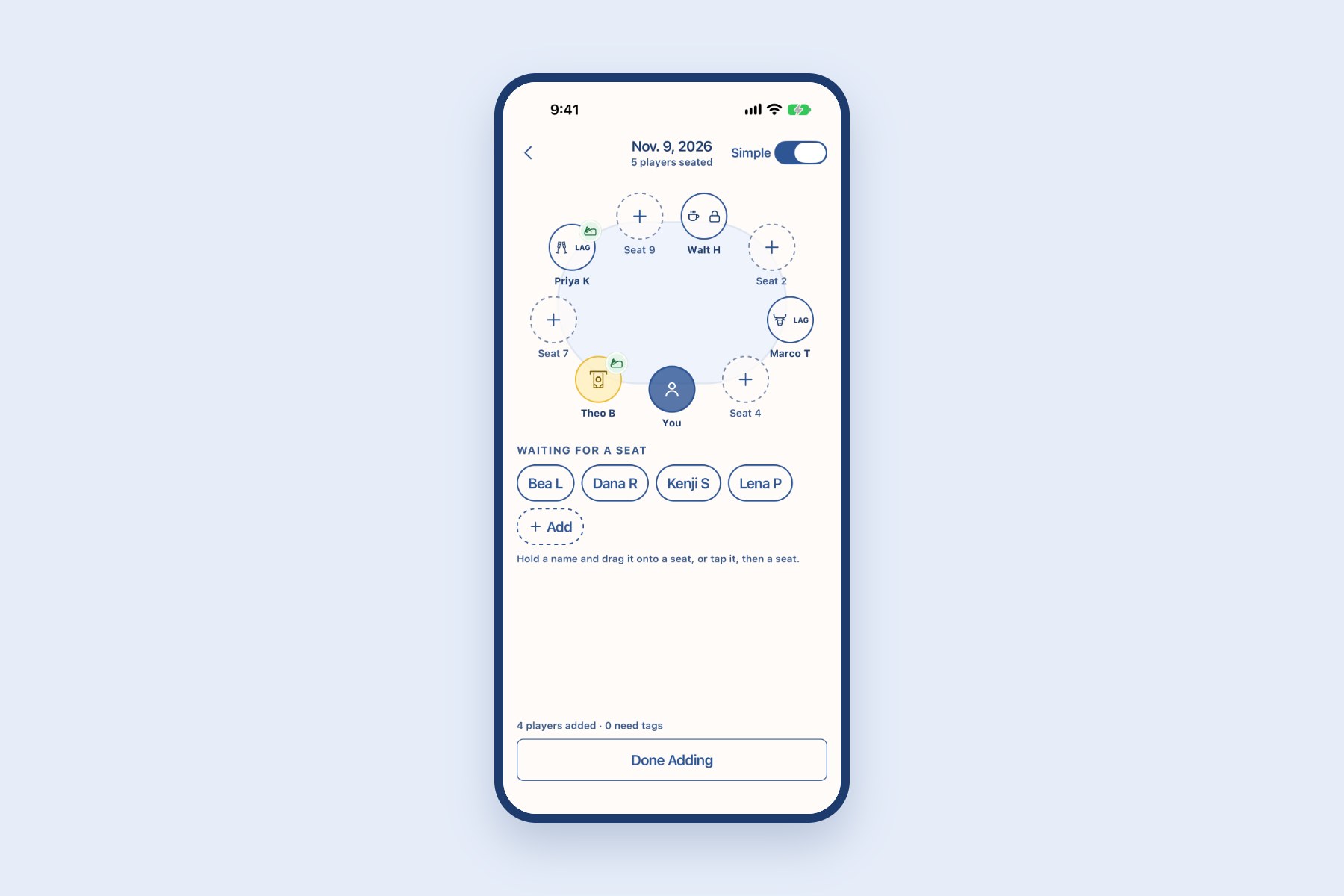
- Seating handles a full table. Drag a player to swap or move them, or seat tonight’s players from a tray.
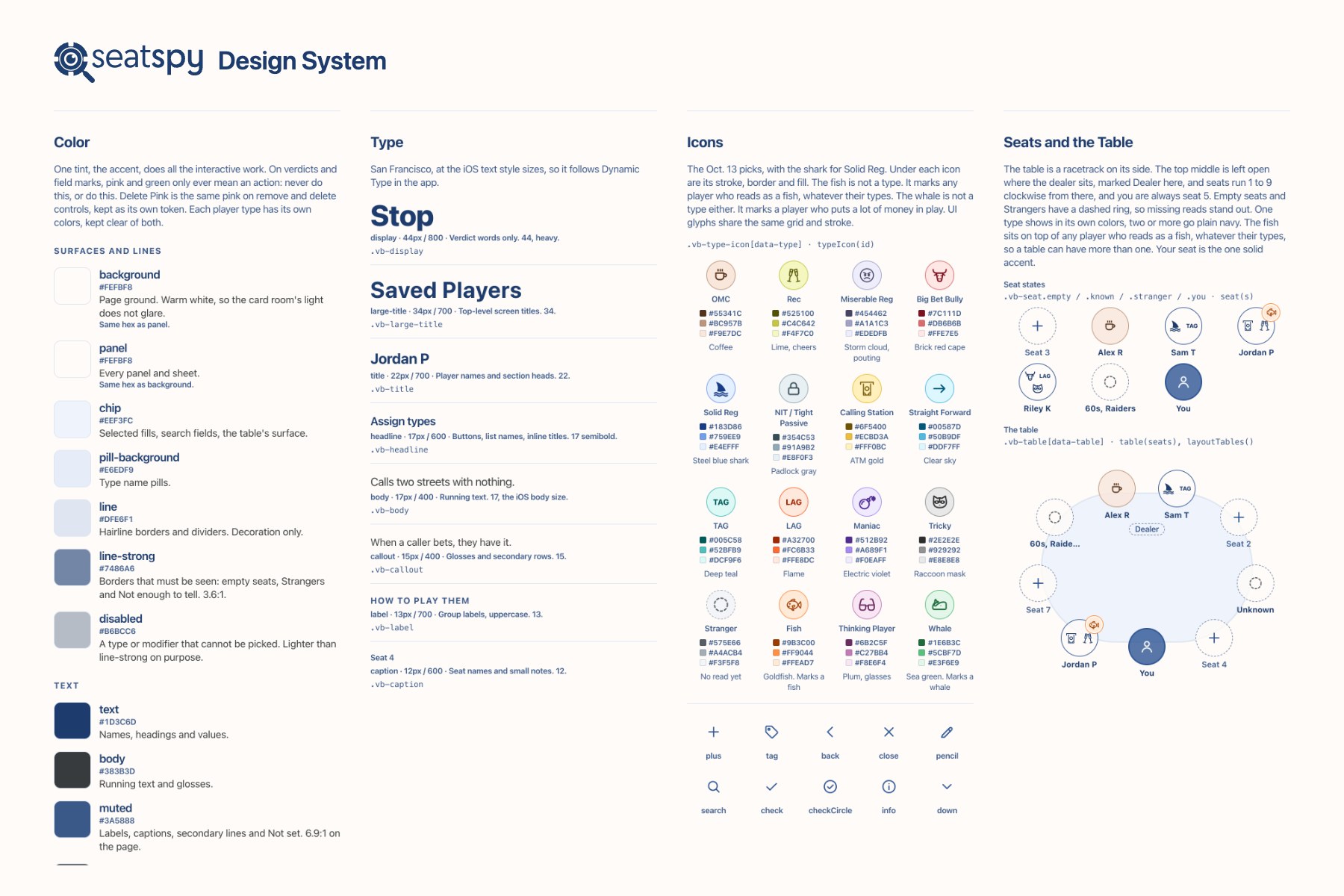
- The design system keeps one accent color for everything you can tap, and saves pink and green for advice.
As the content writer and UX and UI designer, I was responsible for what the app says and how it works, and I managed AI coding agents as its developers.
Content
The player types and the advice come from a type book I wrote from my experience, notes and other materials. Each type has rows for when to bluff, when they raise, betting for value, play before the flop and how much to bet. How to Exploit Them sorts those rows into Go after them, Hold back and Worth knowing, with each question as a small caption over its answer. Green means go after them, pink means don’t or fold, and gray is a read on the player.
Design
The UX work started with six directions for one player’s card: a strip, swipe and taps, a gauge, a dossier, a board and a table with taps.
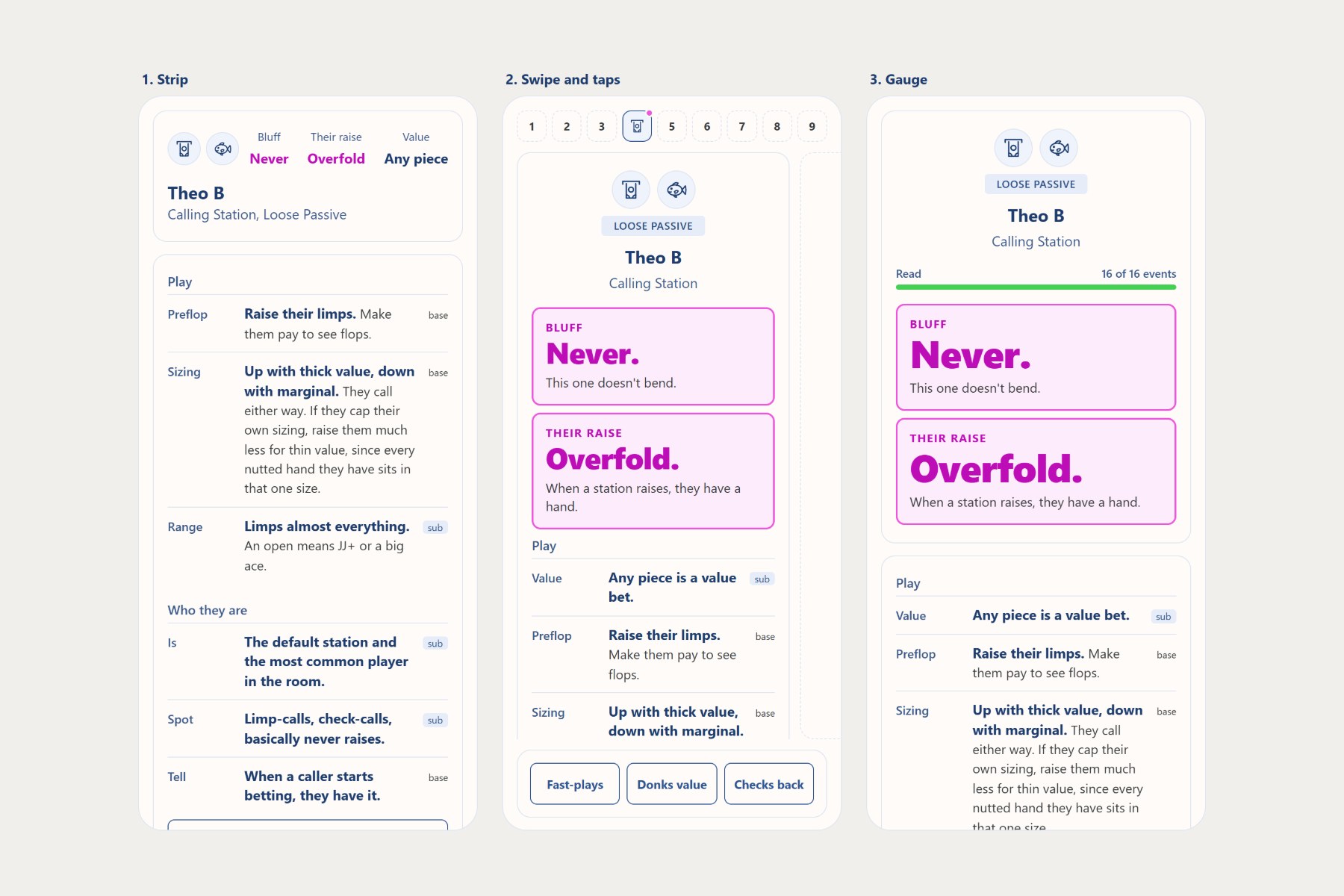 (full size)
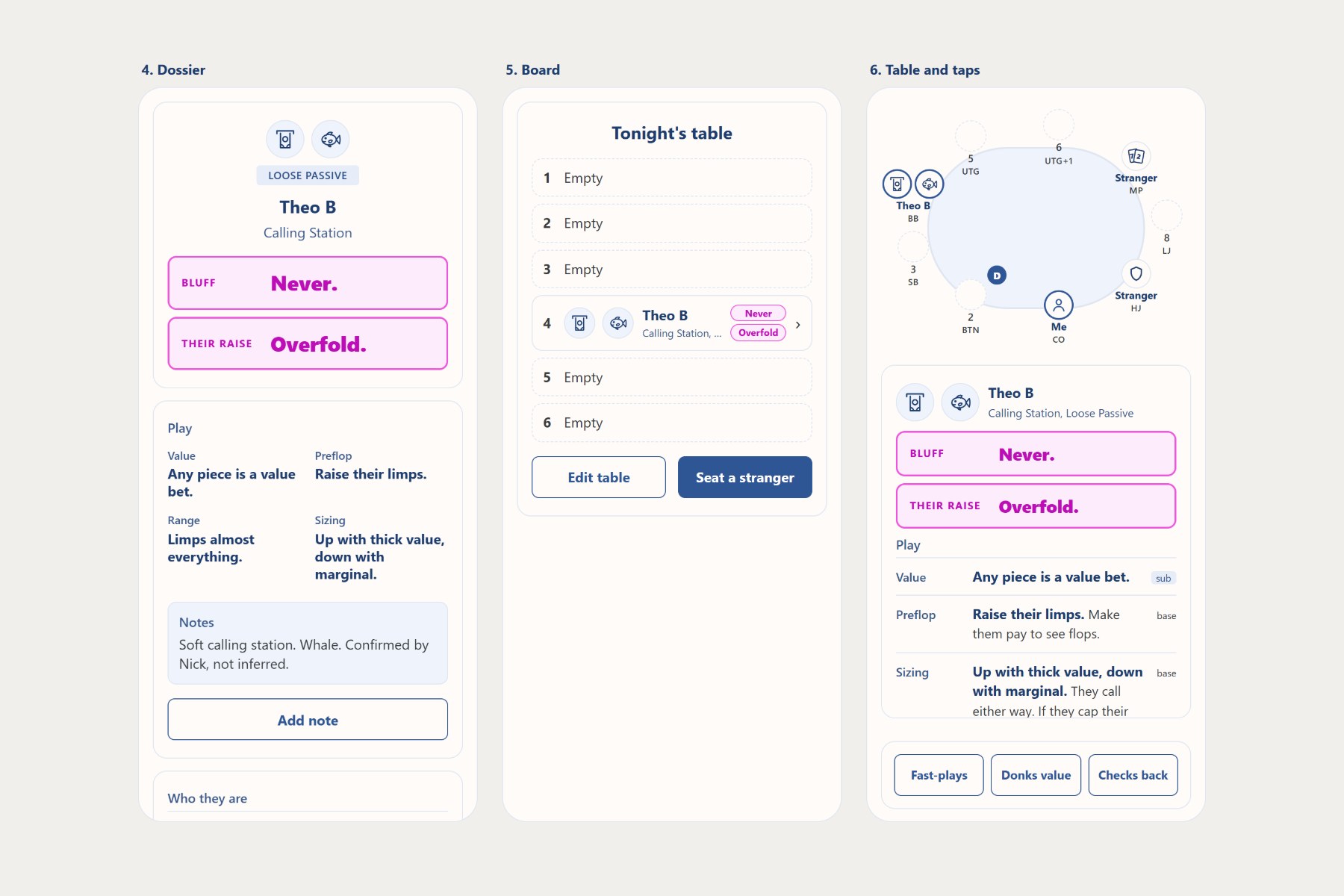 (full size)
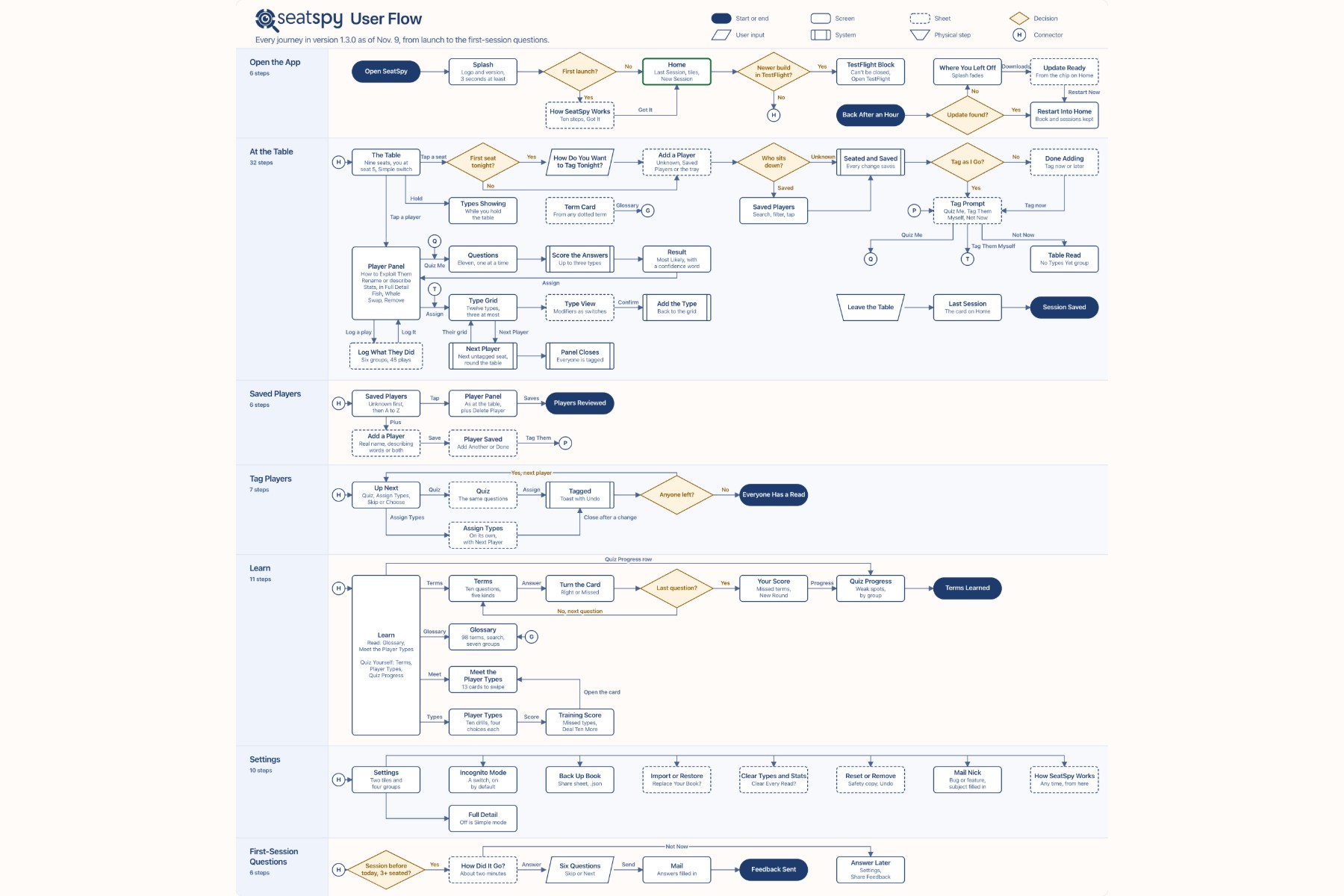
From there every screen went through a round of two or three comps, and I picked one before anything got built. Seating got its own round, with two comps each for adding several players at once, dragging to swap or move, and adding from Saved Players.
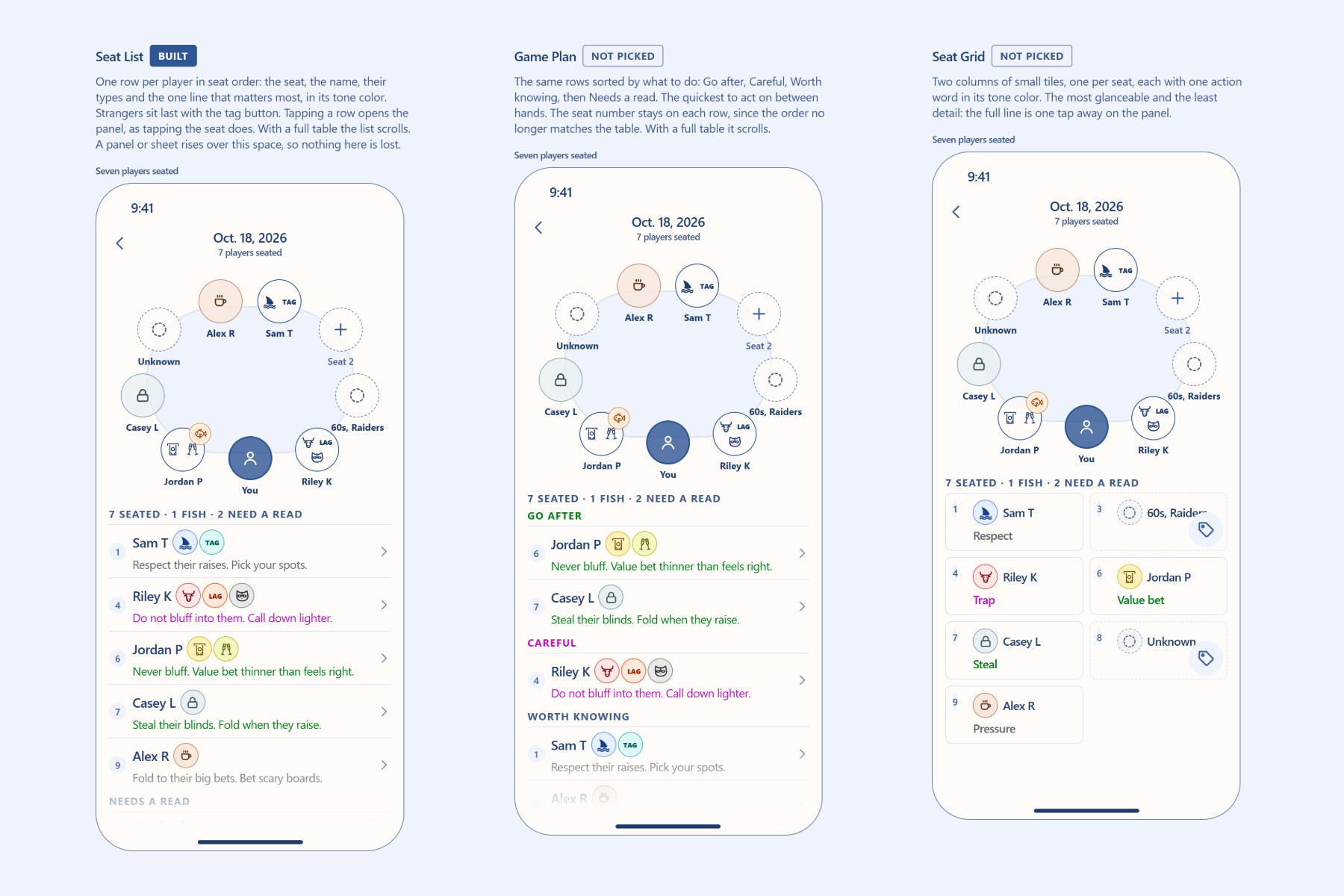 (full size)
Those picks set the UI and became a design system: one accent color for everything you can tap, pink and green used only for advice, a color for each player type and a table where seats run 1 to 9 clockwise from the dealer.
Build and Testing
AI coding agents did the work an in-house developer would, and I ran them like a development team, with a five-phase plan, one slice of the app at a time, every screen picked from comps before an agent built it, and every decision logged. They wrote the app in React Native with Expo, with the book stored on the phone. The equity math runs on the phone too. It works a hand out exactly when the phone can finish in about three seconds, and runs Monte Carlo deals when it can’t. Before one TestFlight build, I set five agents to review it in parallel, one risk area each. They turned up 29 issues, from a quiz answer that ran off the screen to missing VoiceOver labels, and I worked through them. Anything you can drag also has a Move action in VoiceOver, and new installs come with a dozen made-up players so testers can try everything right away.
The first testers were a small group of friends on TestFlight, and Android testers install it from a link. From version 1.2.1 on, most fixes ship over the air. They download in the background. When a change needs a new build, Home asks testers to install it from TestFlight first.